1. ジオレファレンス
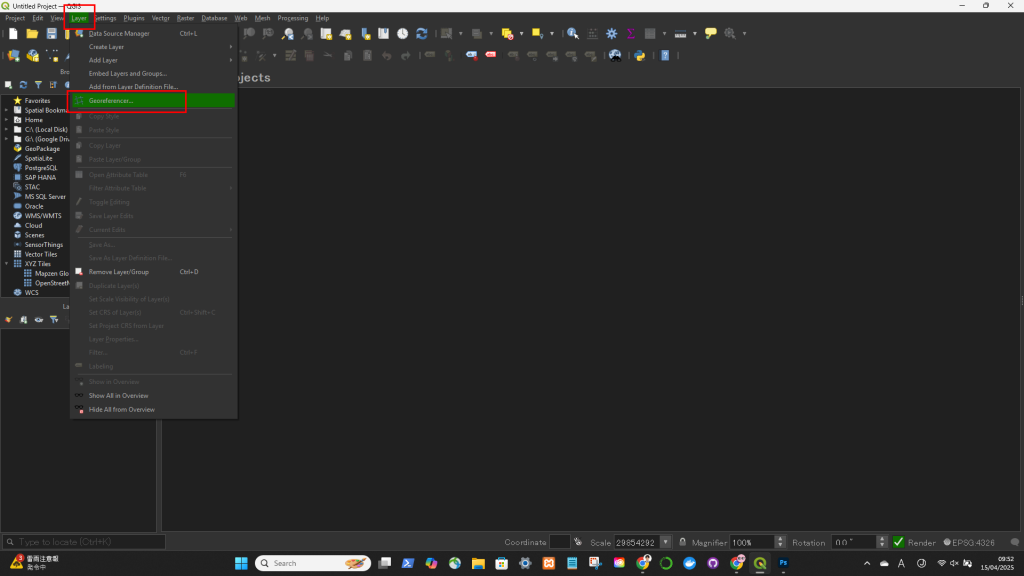
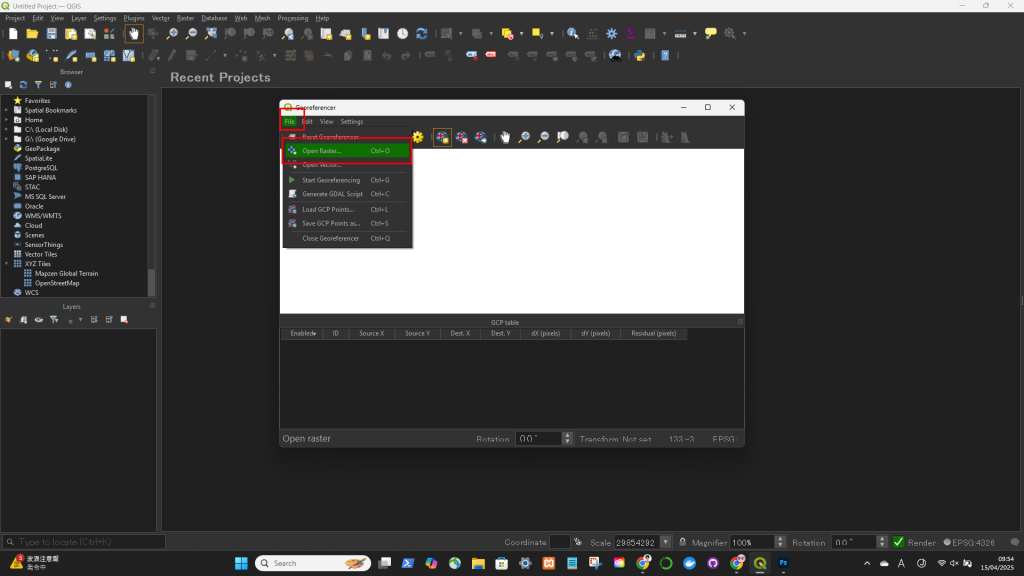
Layer > Georeferencer....
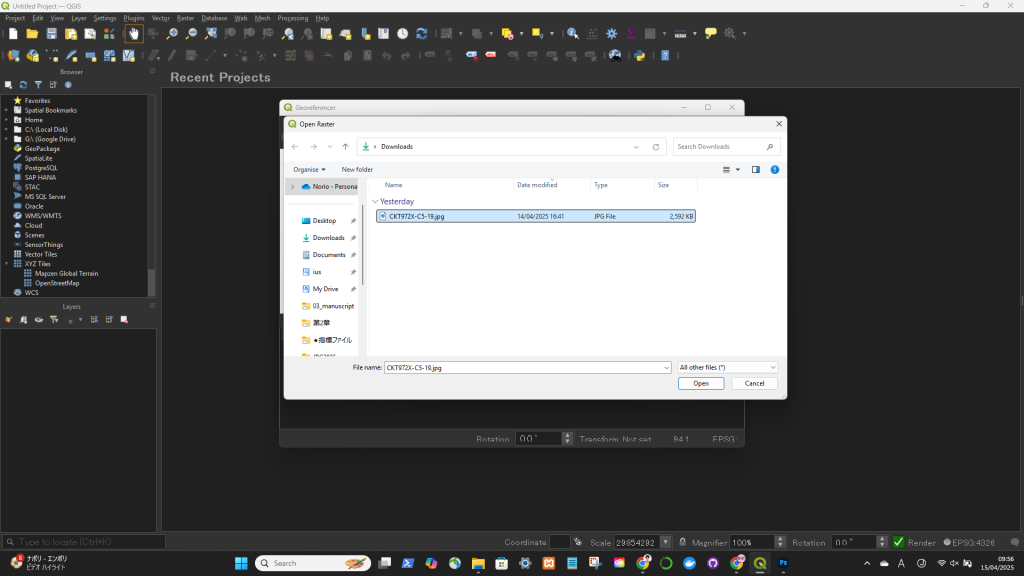
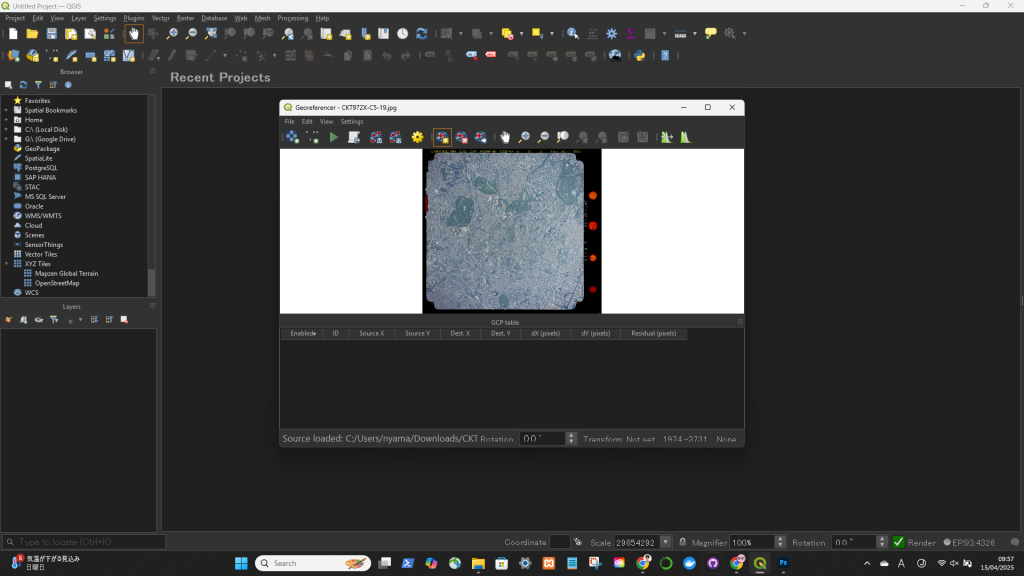
File > Open Raster
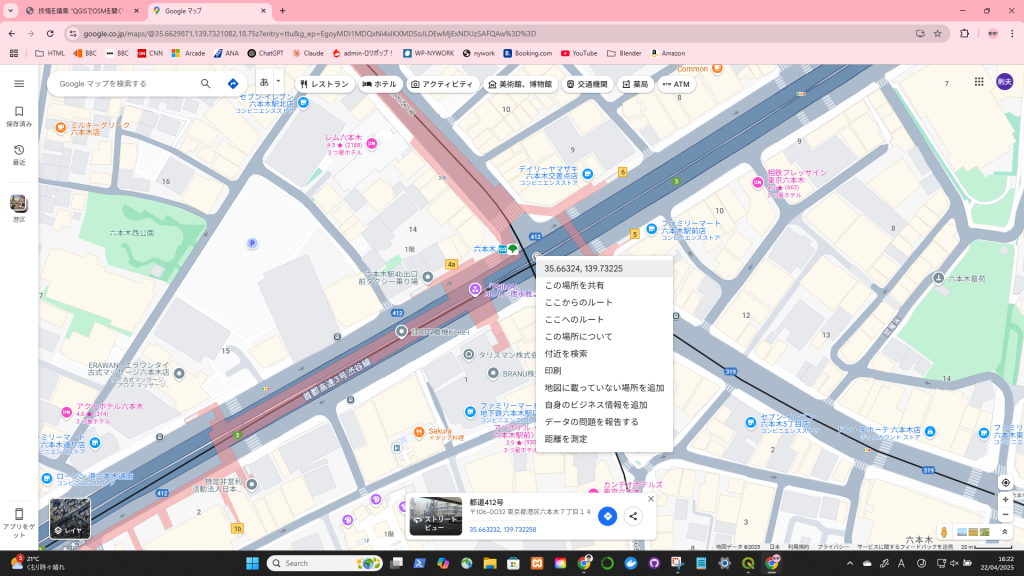
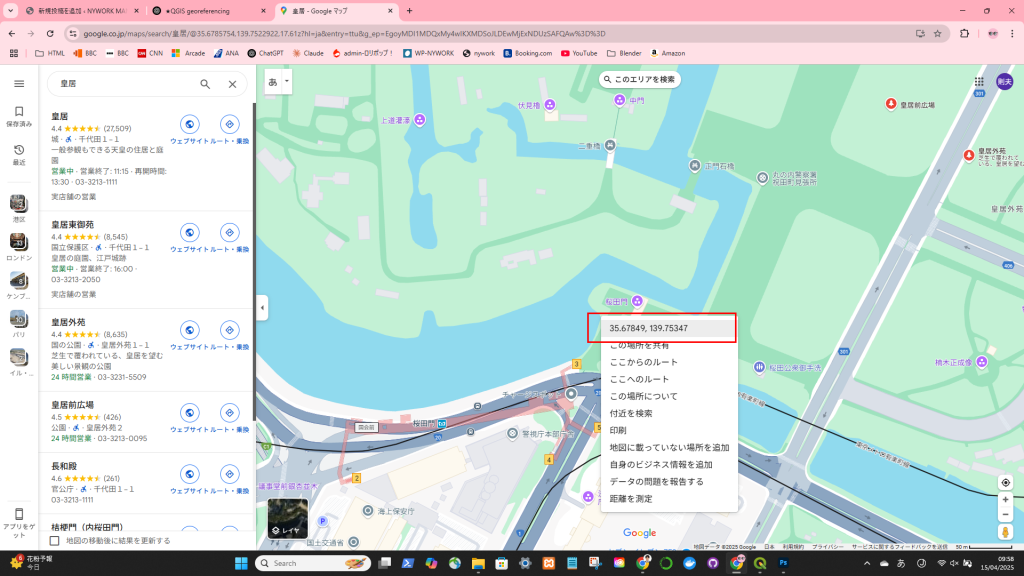
ジオレファレンスしたいポイントの緯度経度を調べる
Click on the Add Point tool
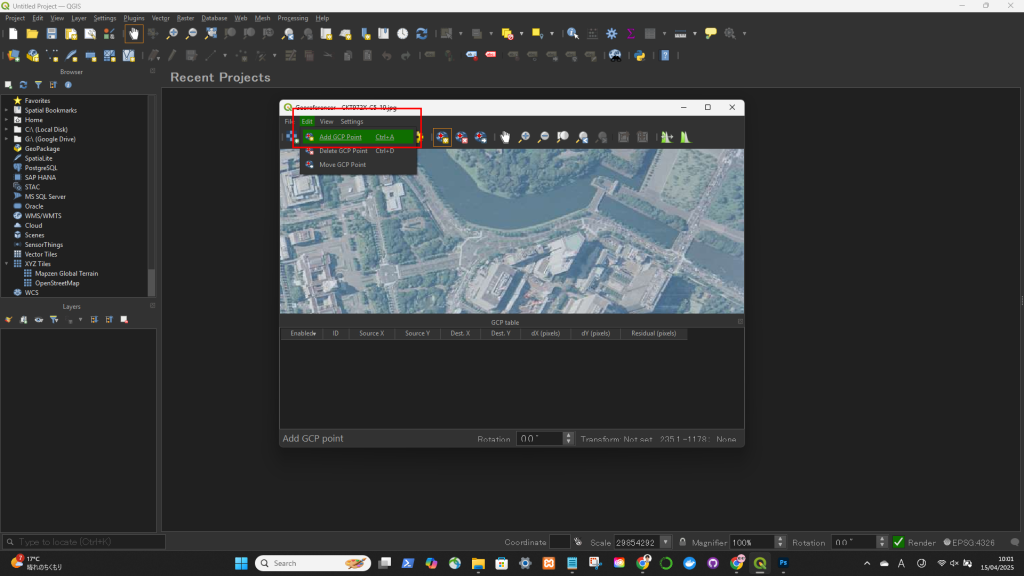
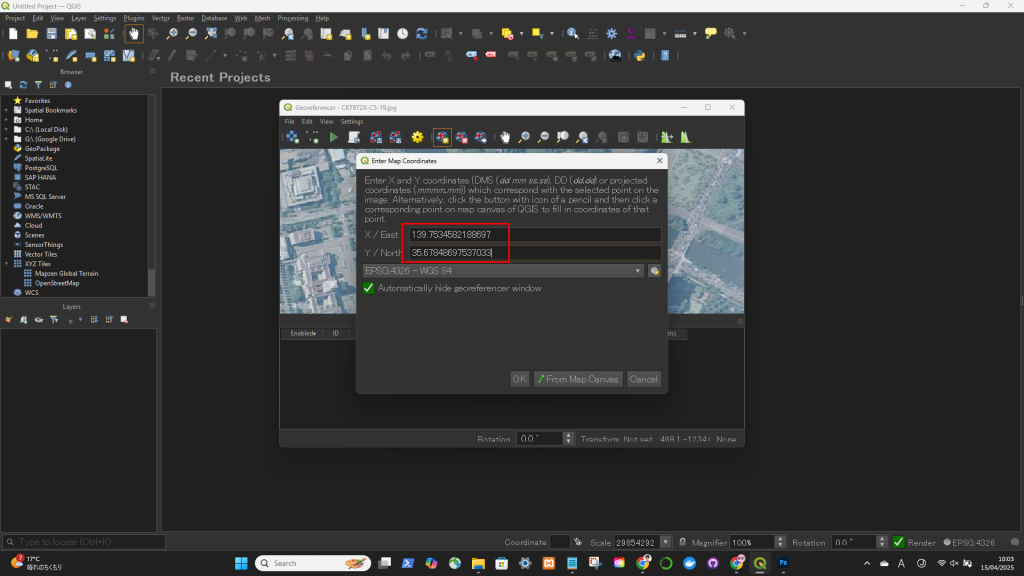
->ジオレファレンスしたいポイントを地図上でクリックして、緯度経度を入力
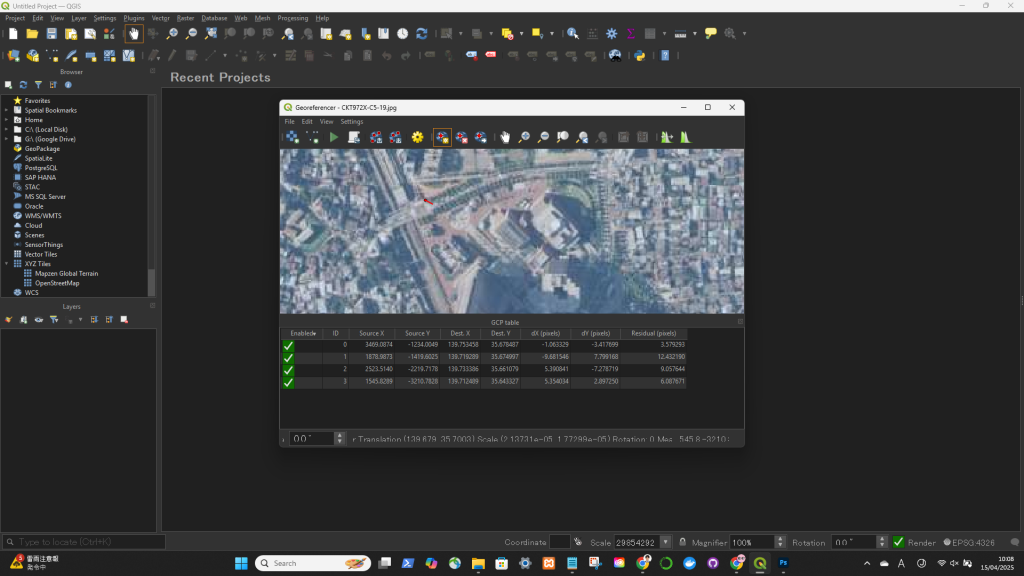
Click on the Transformation Settings icon (gear icon) or go to Settings > Transformation Settings
Click on the Start Georeferencing button (green play icon).
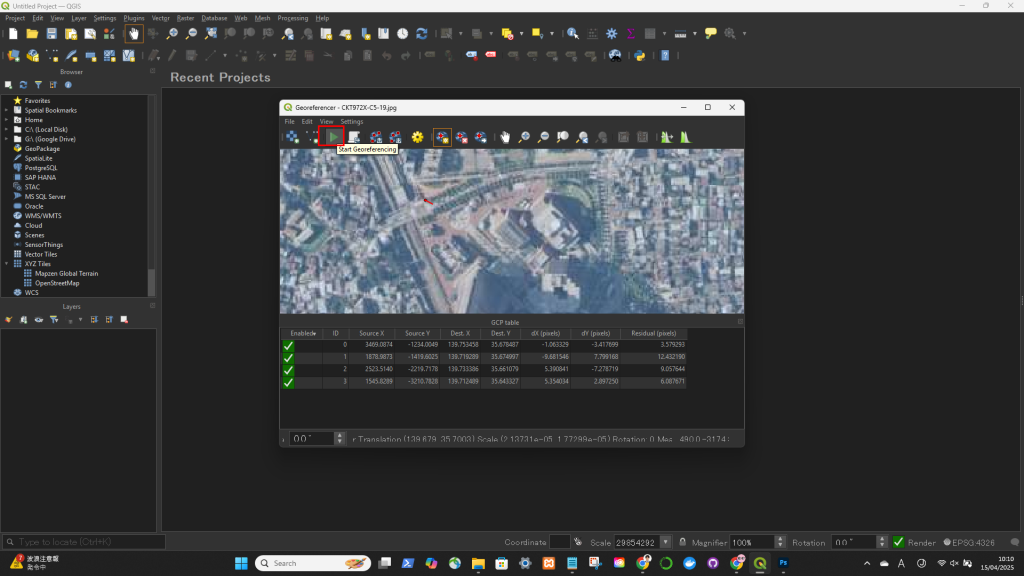
ジオレファレンスできた!
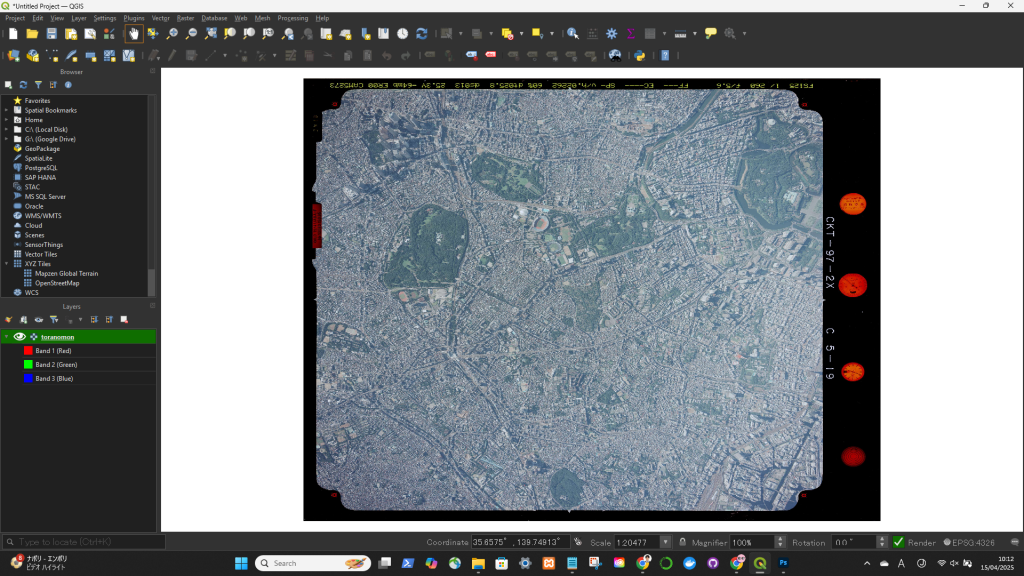
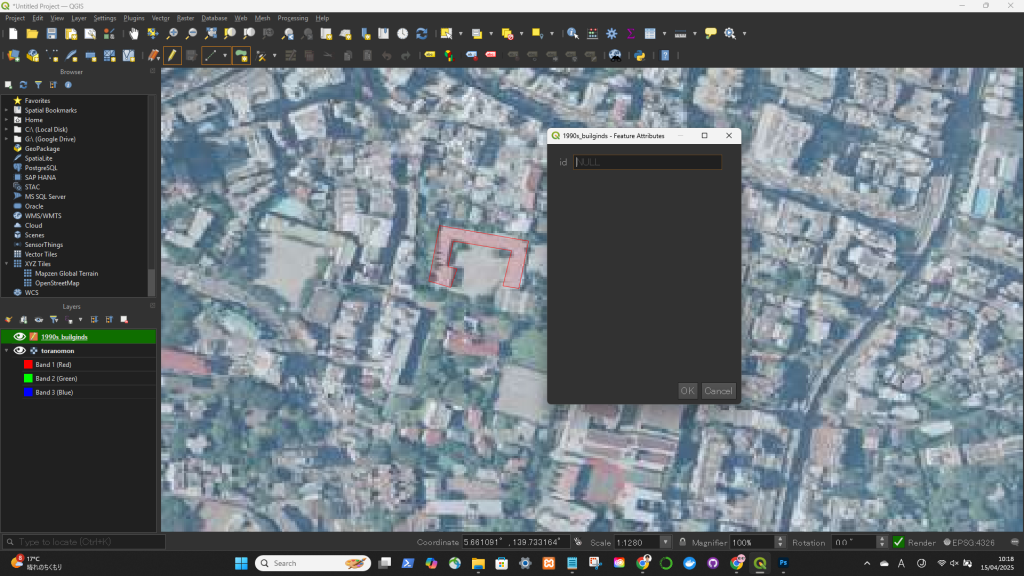
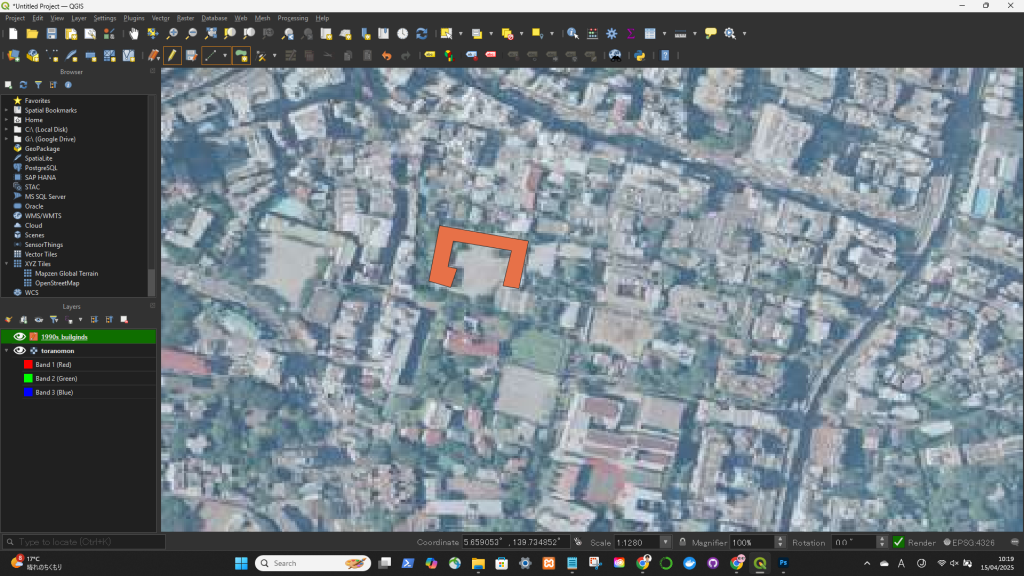
2. ポリゴン描画
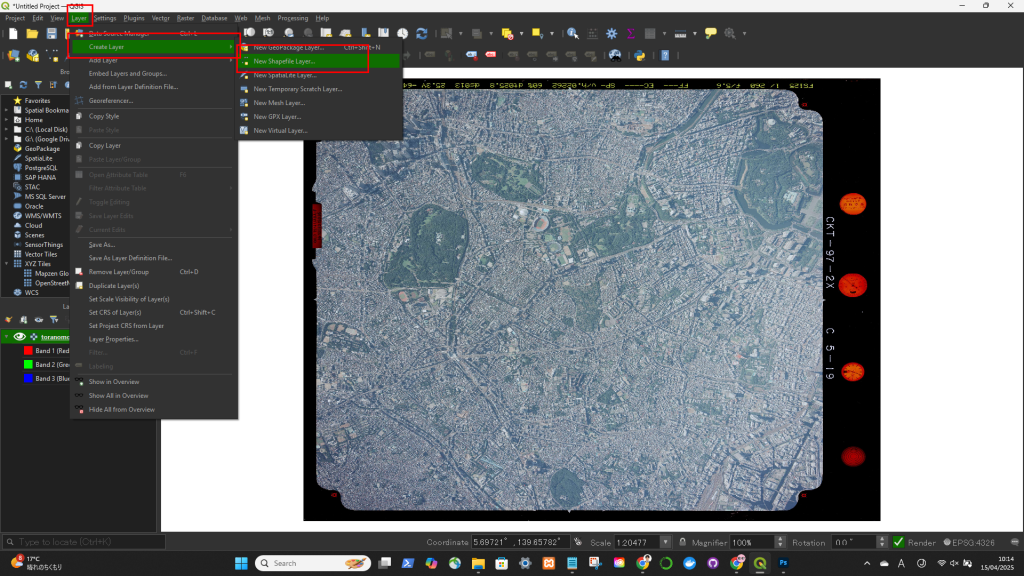
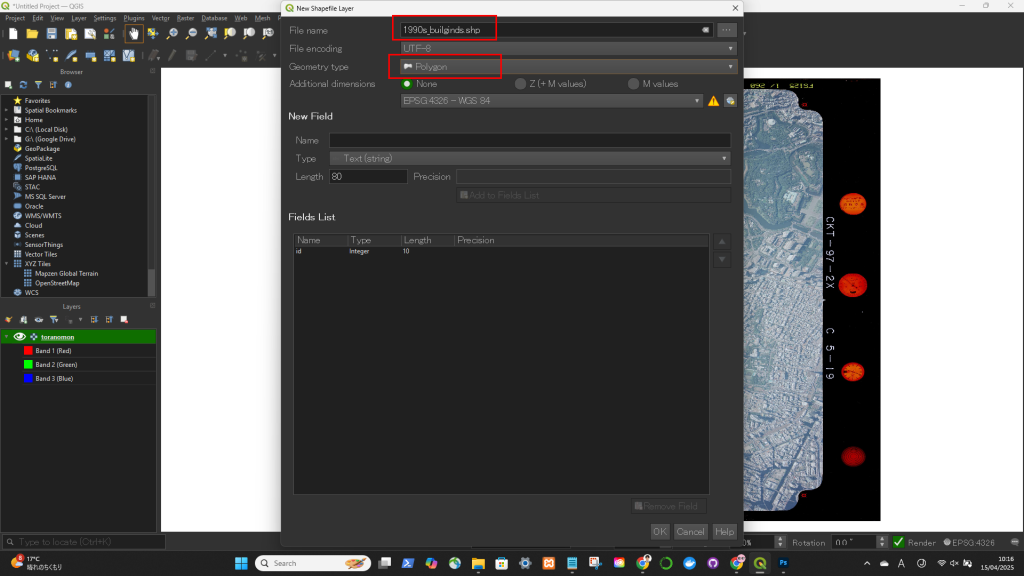
レイヤー → Create Layer → New Shape Layear
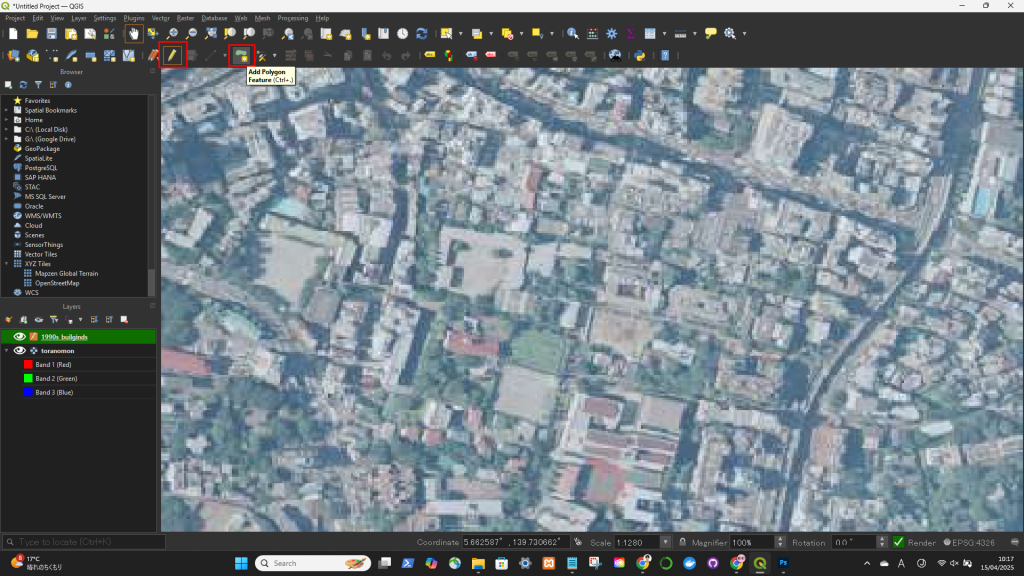
最後の頂点を描いた後、右クリックすると描画終了
スペースキーを押すとマップを移動可能