✅ Method 1: Using “Select by Expression”
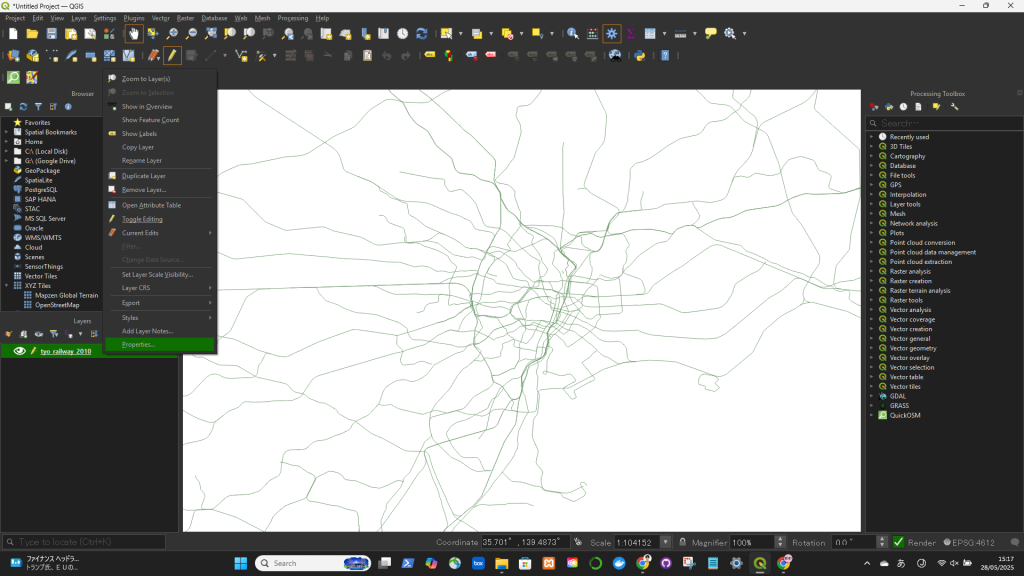
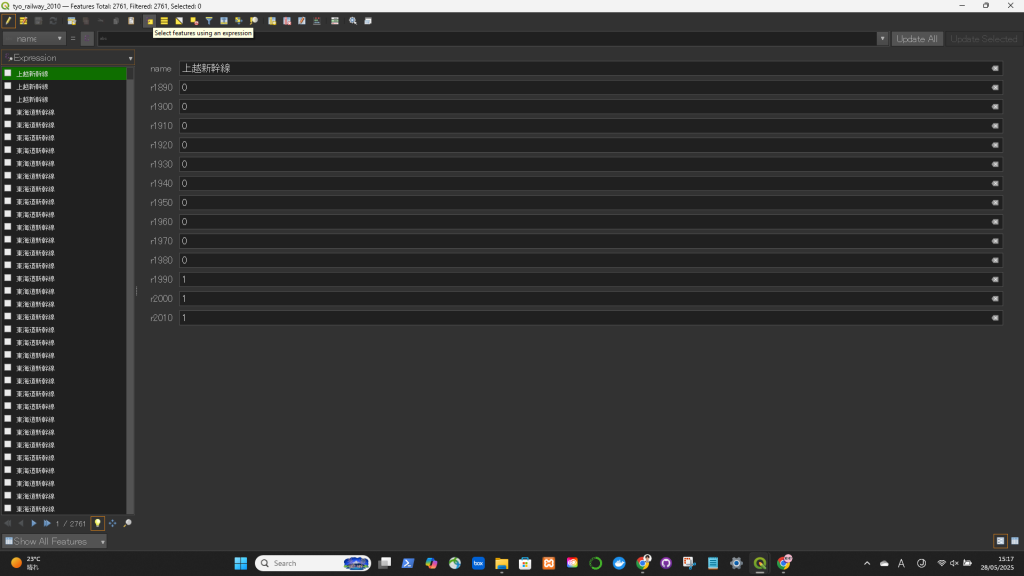
- Open your attribute table.
- Click on “Select Features Using an Expression” (looks like an abacus: ∑).
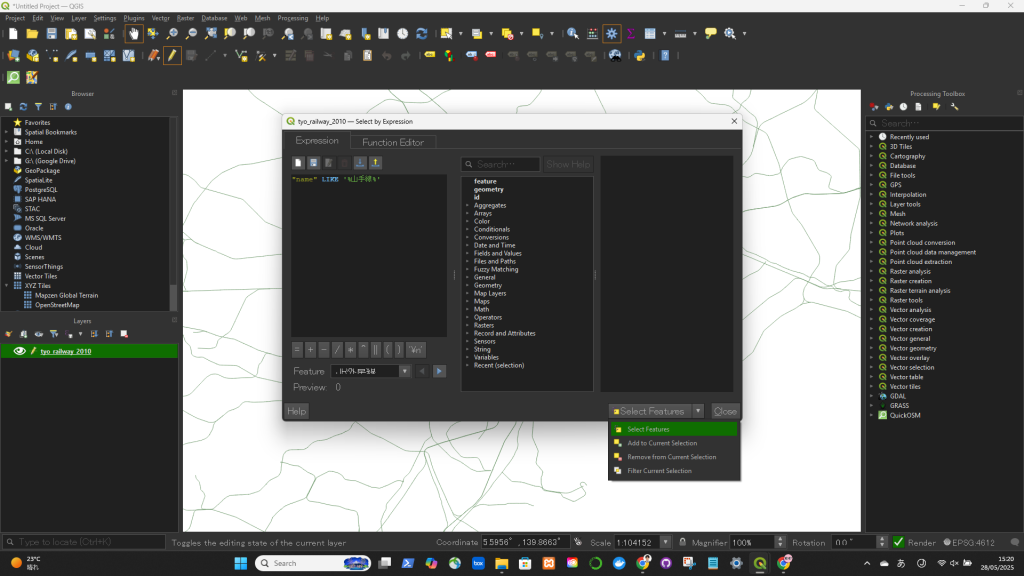
- Enter the following expression:
- SQL(例):
"name" LIKE '%山手線%'
“code” <= 2000 - Click “Select Features”.
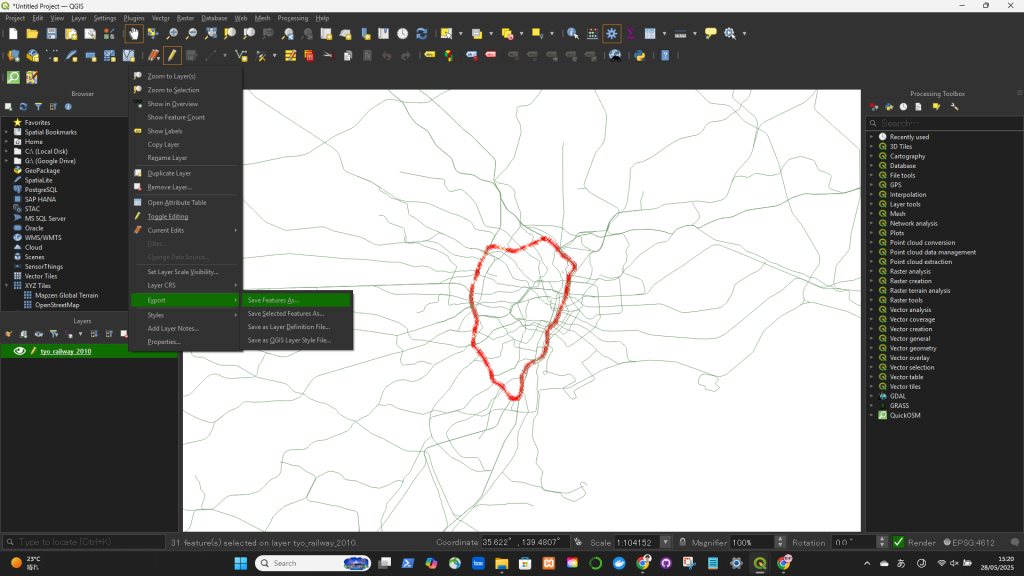
If you want to export only the selected features:
- Right-click the layer in the Layers panel → Export → Save Selected Features As…