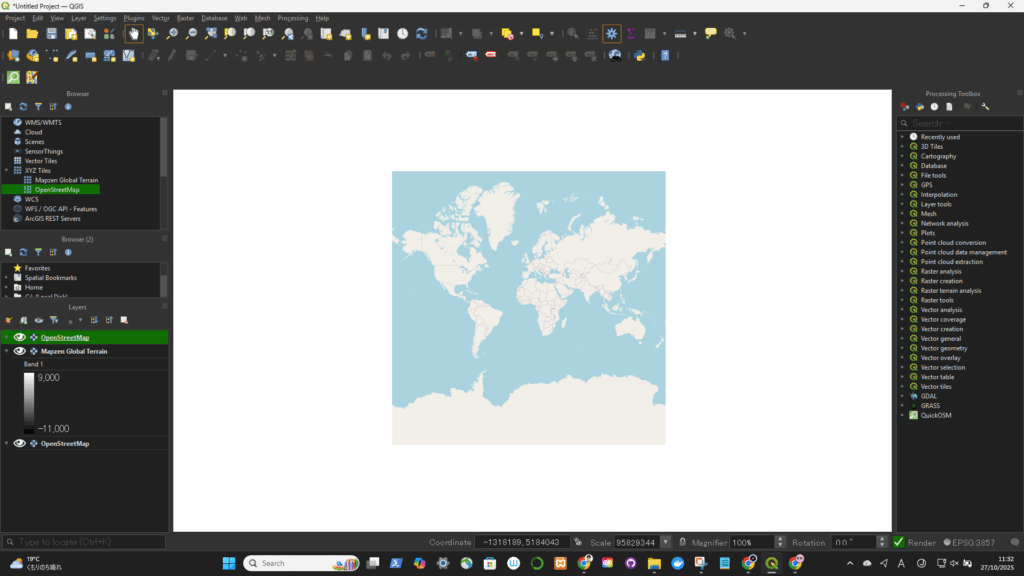
🟢 Option 1: Using the Built-in “XYZ Tiles” (Recommended)
This is the simplest and most reliable method — no plugin needed.
🔹 Steps:
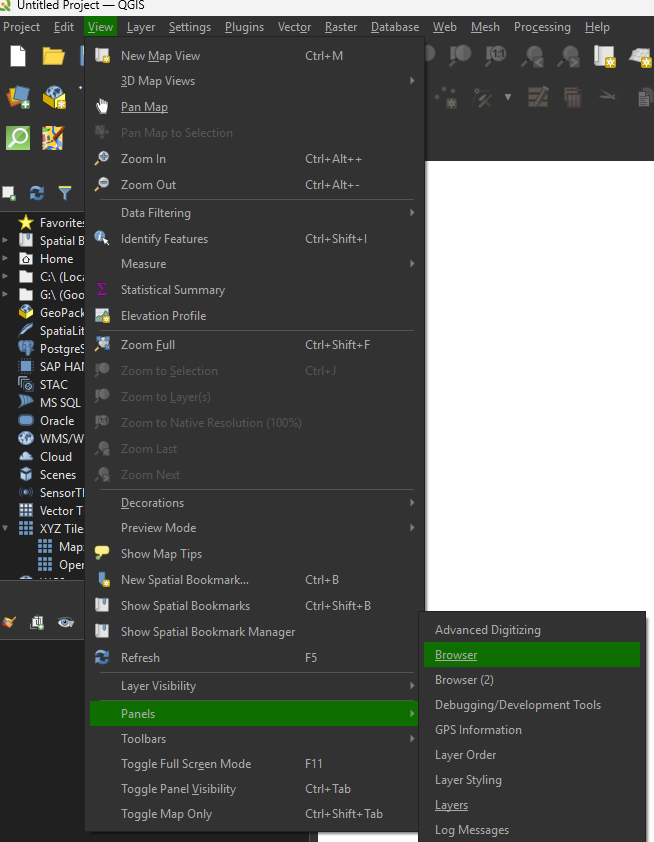
- In QGIS, open the Browser Panel (View → Panels → Browser Panels).
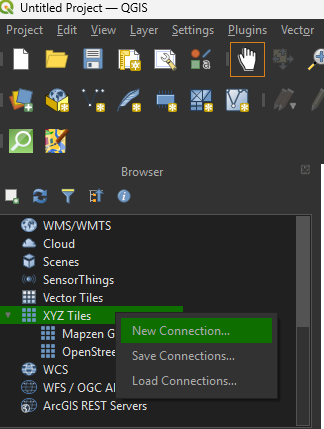
- Find “XYZ Tiles” in the list.
- Right-click “XYZ Tiles” → New Connection.
- In the dialog, enter:
- Name: (anything, e.g. “OpenStreetMap”)
- URL:
https://tile.openstreetmap.org/{z}/{x}/{y}.png
- Click OK, then double-click your new entry to add it to the map.
| Name | URL |
|---|---|
| OpenStreetMap (Standard) | https://tile.openstreetmap.org/{z}/{x}/{y}.png |
| Google Satellite | https://mt1.google.com/vt/lyrs=s&x={x}&y={y}&z={z} |
| Google Hybrid | https://mt1.google.com/vt/lyrs=y&x={x}&y={y}&z={z} |
| Google Roads | https://mt1.google.com/vt/lyrs=m&x={x}&y={y}&z={z} |
| Esri Satellite | https://services.arcgisonline.com/ArcGIS/rest/services/World_Imagery/MapServer/tile/{z}/{y}/{x} |
| Stamen Toner (B/W) | https://stamen-tiles.a.ssl.fastly.net/toner/{z}/{x}/{y}.png |
| Stamen Terrain | https://stamen-tiles.a.ssl.fastly.net/terrain/{z}/{x}/{y}.png |
上でOpenStreetMapを選択した場合(↓)